
Face analysis without filters starts with choosing a clear photo that you have not deliberately smoothed, reshaped or stylized. Check the saved image and the camera settings, keep an original reference and use a fresh capture if you cannot establish where an old picture came from. An unfiltered reference can make the input easier to understand; it does not turn an AI score into an objective measurement of your value.
The practical question is not whether every pixel is untouched by a camera. It is whether the picture represents a known starting point for the decision you want to make. A social portrait and an analysis reference can have different jobs. This guide explains that choice, then shows how MogRise can support a small grooming or style decision without promising filter detection, filter removal or a perfectly accurate verdict.
Face analysis without filters means a known starting point
Start by separating deliberate appearance edits from the ordinary fact that a phone produces a photograph. A beauty setting, a reshaping effect or a strong color treatment is a choice about how the image looks. Turning one setting off does not certify that the camera has stopped all processing. You do not need to solve every detail of image engineering before proceeding. You do need to know which choices you made and avoid using an uncertain image as a precise account of your face.
Define the question first. Perhaps you want to discuss a manageable haircut, understand a comment about the visible jaw outline, or decide whether a grooming change is worth trying. Choose a reference for that question, rather than the selfie with the most flattering finish. Keep the question in an ordinary sentence. This prevents a photo-selection task from becoming a search for the highest possible score, which would tell you more about the pictures you selected than about a useful next action.
Check the saved image, not just the live preview
Open the camera you actually plan to use and look for its documented face-retouching, beauty or effect settings. Names and controls differ across devices and apps, so do not copy a menu path from an unrelated phone. Read the device's help if you are unsure. Google's Pixel selfie guide notes that face retouching is available and that its result appears in the saved photo. That is a reason to inspect the finished image rather than assuming a reassuring preview answers the question.
Take one ordinary test picture and review it at a sensible viewing size. Check whether a deliberate effect is still selected, whether the full face is visible and whether the saved version matches the setup you intended. Do not spend an evening magnifying skin texture to prove that processing exists. If you cannot explain an option, leave that image out of the reference set and choose a camera workflow you understand. This is a practical input check, not a technical certification of untouched pixels.

Keep an original instead of trying to rescue an export
Locate the original capture in your own library when it is available. A screenshot from a social post, a downloaded edited copy and an original photo are different files, even if they show the same moment. Preserve the reference before experimenting with a separate version for posting. Use a simple organization method that makes sense on your device, such as a private album and a date you can recognize. Do not rely on a vague memory that a particular portrait probably had no effect applied.
The Google Photos editing guide distinguishes saving adjustable edits from saving a copy and describes reverting supported edits. That does not mean an editor can reconstruct any face from a flattened beauty-filter export. Check the options for the actual file you own; if its history is uncertain, a fresh ordinary capture is often simpler than repeated attempts to reverse it. Avoid uploading a personal photo to several unfamiliar removal tools merely to obtain a supposed original. A claimed reconstruction would still need careful interpretation.

Make a clear front and profile reference
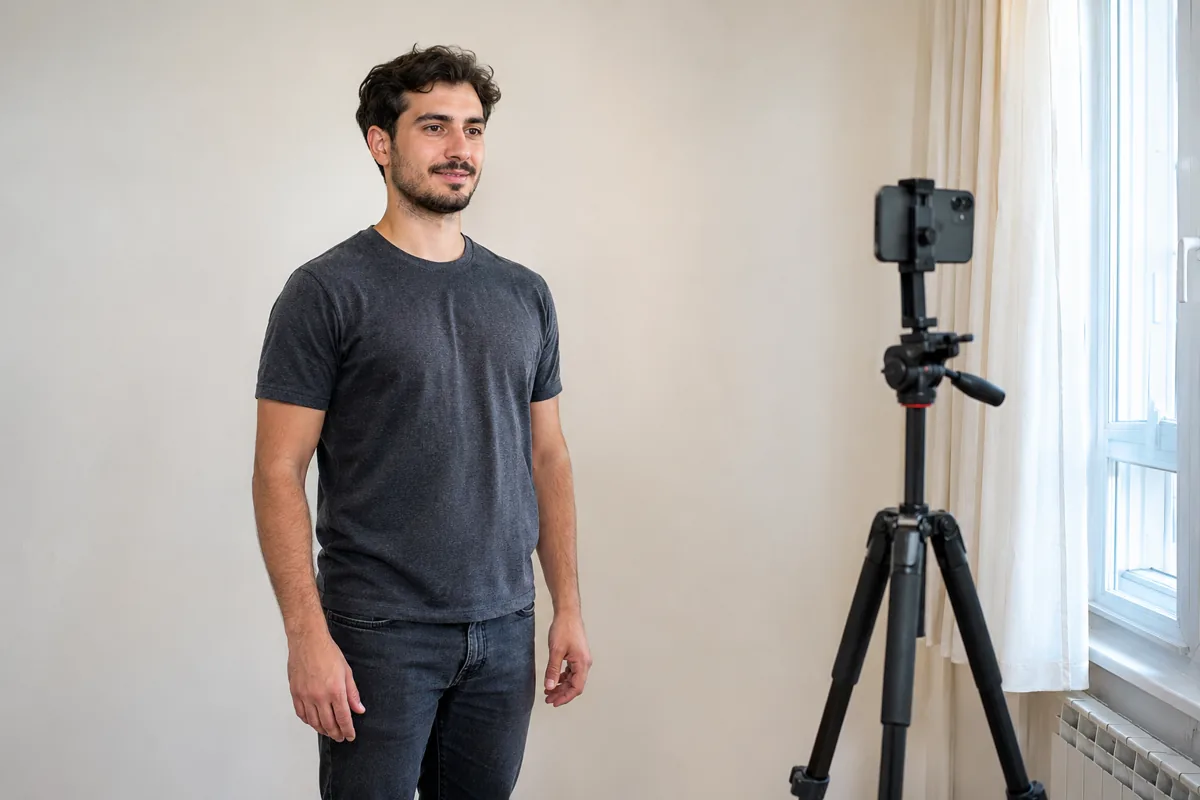
Once the file choice is settled, arrange a simple capture that you can understand later. Use comfortable, even light, keep your whole head in the frame and avoid moving very close just to fill the screen. Follow the app's capture instructions rather than inventing a universal camera distance. A stable support or help from another adult can make positioning easier. The purpose is a readable reference, not a studio portrait, a forensic record or a promise that every visible contour is geometrically exact.
Keep a relaxed expression and take the requested front and side views without forcing the jaw, lifting the chin for a sharper line or changing the expression between frames. Our neutral facial expression guide covers that part of the setup separately. Choose a usable set and stop. A second view adds context; it does not cancel out lighting, camera or interpretation limits. If a picture is clearly blurred or an effect remains active, replace that capture instead of asking a result to compensate for the problem.
Use MogRise to move from a reference to a question
MogRise's current listing describes guided front and profile photos, an explained facial-analysis report and personal grooming or style priorities. Use those features for the question you chose before taking the photos. For example, you might want to turn a broad comment about presentation into one hair-maintenance discussion. Keep the clean reference available so you can relate the explanation to the input. Do not assume that the app automatically recognizes every edit or has restored an unfiltered version behind the scenes.
Read the explanation associated with a result before deciding what to do. An overall score is not enough to tell you which everyday change is feasible, comfortable or relevant. Select a modest action that fits your routine, then decide how you would judge that action in ordinary life. MogRise is free to download and offers in-app purchases; that does not mean every feature or unlimited analysis is free. Check the current product screen before choosing a paid option, and keep the photo task separate from any purchase decision.
A clearer input still leaves interpretation limits
Removing deliberate edits does not prove that an AI system has measured a permanent facial truth. A photograph is a particular view, under particular conditions, and the resulting explanation remains something to consider critically. Do not treat a decimal score as evidence that one feature needs correction. Do not use a filtered-versus-unfiltered score difference as a scientific test of an app, either. Without a controlled method, you cannot isolate what caused the result or turn it into a general accuracy claim.
If two usable pictures receive different feedback, return to the practical question rather than choosing whichever number feels better. Our guide to why FaceScore changes between photos explains the broader comparison problem. Today's narrower task is knowing which image you supplied and whether a deliberate effect was involved. Scores can be planning context, not a ranking of human worth, a medical diagnosis or a reason to pursue an unsafe change. You can also decide that the feedback does not help your current decision.
Let a social photo have a different job
You can enjoy a stylized portrait without using it as your analysis reference. Decide separately what you want to post, who can see it and whether the image feels like a comfortable way to present yourself. There is no need to publish your reference photos or an analysis score to justify a grooming choice. Keeping those jobs separate reduces the temptation to modify the input until the output agrees with the image you hoped to see.
When comparing a later check-in, use the known reference setup instead of pairing a heavily finished social picture with a plain capture. Note the device and relevant settings if that helps you repeat the process. Do not interpret a smoother-looking export, a different crop or another color treatment as evidence of real appearance progress. If the old file's history cannot be established, label the comparison as limited and begin a new reference set. That is more useful than inventing certainty about a picture's past.
Finish with one ordinary action and a stopping point
Choose a small next step that you can describe without referring to a score: discuss hair maintenance with a barber, keep an easier grooming routine or decide which photo setup to use next time. Ask whether it suits your time, budget and preferences. A reference image can support that conversation, while the professional or your own experience supplies information that the photo does not contain. You do not need to turn every visible detail into a task or obtain another scan before acting on a simple preference.
Store only what you want to keep, review the actual service's privacy information before sharing more photos and leave yourself a clear stopping point. This article does not promise local processing, a deletion schedule or a particular storage policy for an app. Finish when you have a known reference and a manageable decision. If repeatedly comparing images is making the task uncomfortable, put it aside. The useful outcome is a clearer choice about an everyday action, not an endless collection of increasingly optimized versions of your face.